
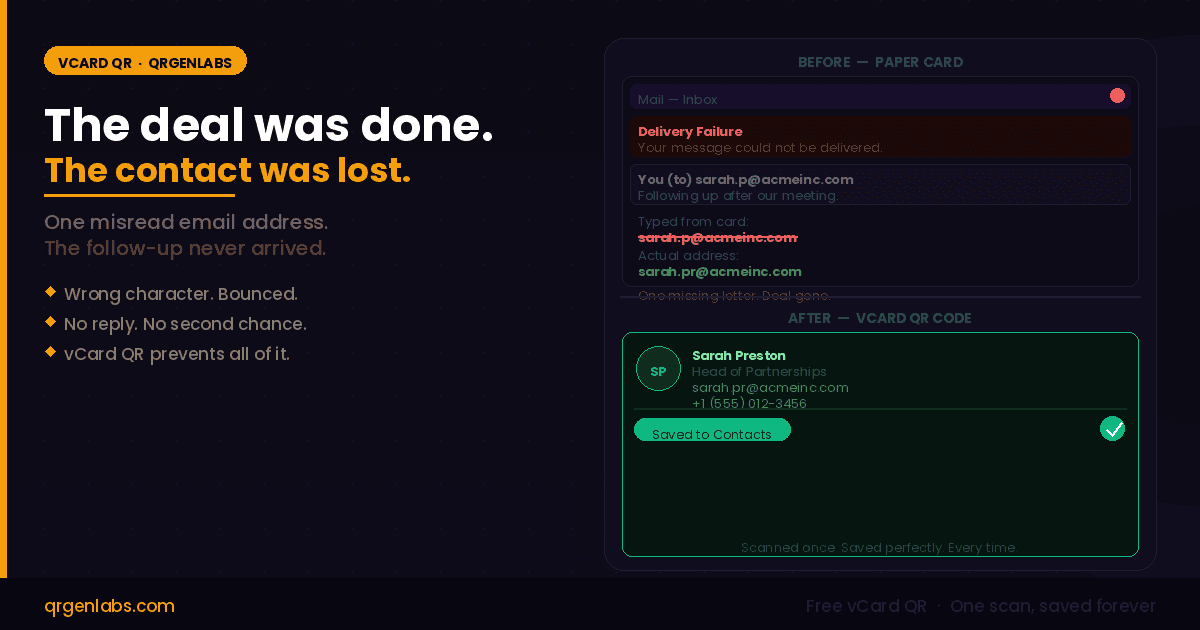
The meeting went well. You spent forty minutes with Sarah Preston, Head of Partnerships at Acme Inc. She was interested. She said follow up on Thursday. You handed her your card, she handed you hers. You walked away confident.
On Thursday, you typed her email from the card. Her domain had an extra letter you missed. The message bounced. You did not notice. The thread went cold. The deal went nowhere.
This is not a rare edge case. This is the paper business card doing exactly what it has always done — placing the entire burden of data accuracy on two human beings reading small print, under conference lighting, after a long day.
"Manual transcription errors in contact saving happen at a rate that most professionals dramatically underestimate. One character. One missed digit. One transposed letter. That is all it takes for a follow-up to disappear entirely."
This is the problem that vCard QR codes were built to solve. And it is a more serious problem than most people realise.
The hidden failure rate of paper business cards
Every time you hand over a printed business card, you are asking the recipient to perform a data entry task without making a single mistake. They have to:
- Read every character of your name correctly, including any hyphens, apostrophes, or unusual capitalisations
- Transcribe your phone number — ten or eleven digits — without transposing a single pair
- Type your email address exactly, including any underscores, dots, or domain extensions they may not recognise
- Do all of this from a piece of card they are likely reading in imperfect conditions, days after meeting you
Any single failure in that chain produces a contact entry that cannot reach you. You will never know it happened. The person who wanted to follow up will assume you simply did not reply.
Beyond transcription errors, there is a simpler problem: most cards never make it to the contacts app at all. They go into a pocket, then a bag, then a drawer, then the bin — typically within a week of being received.
What is a vCard QR code?
A vCard QR code encodes your complete contact information — name, job title, company, phone number, email address, website, and any additional fields — using the RFC 6350 VCF standard that every iOS and Android device reads natively.
When someone points their camera at it, their contacts app opens automatically with every field already filled in. Name spelled correctly. Email character-perfect. Phone number formatted exactly as you entered it. They tap save. You are in their address book. No typing. No reading small print. No margin for error.
The scan-to-save process takes approximately three seconds. That is the entire gap between "I'd like to stay in touch" and "your contact is saved permanently in my phone."
Free — No account required
Create your vCard QR in 60 seconds
Full contact encoded. Saved perfectly. Every time.
The same meeting — two different outcomes
Run the opening scenario again, this time with a vCard QR code.
The meeting with Sarah goes well. At the end, instead of handing over a printed card alone, you show her the QR code on the back of your card — or pull it up on your phone. She scans it on the spot. Her contacts app opens. Every field is pre-populated: your full name, job title, direct line, email, website. She taps save. Your contact is in her phone before you have even left the room.
On Thursday, when you send your follow-up email, it arrives because the address in her phone is the exact address you encoded into the QR. Not a version of it. Not a best-guess transcription. The exact string.
The deal continues because the contact survived the handshake.
Where professionals are using vCard QR codes
Sales and business development
Sales reps who meet multiple prospects daily are most exposed to transcription errors — they hand out the most cards and collect the most cards. A vCard QR on every printed material means every contact enters the CRM correctly, without a single manual data entry step that could introduce an error.
Conference and event networking
Networking events are the worst environment for reading small print and typing accurately. Dim lighting, busy surroundings, tired attendees. A vCard QR on your lanyard badge or the back of a minimal card means every scan-to-save happens on the spot — not days later from a card someone found at the bottom of a bag.
Freelancers and independent professionals
For a freelancer, every missed connection is a missed opportunity. Adding a vCard QR to a portfolio, email signature, or even a presentation final slide means anyone who wants to follow up can save your contact instantly — without needing to copy anything, click anything, or remember to do it later.
Healthcare and professional services
Clinics, consultants, and practices that rely on referral networks need contact details to be perfect. A vCard QR on appointment cards and practice materials means referring professionals save the correct contact the first time — with no transcription errors that could send a referral to the wrong number.
Paper card versus vCard QR — the direct comparison
What matters Paper business card vCard QR code
| Contact saved correctly | Depends on manual typing | Exact — encoded directly |
| Email address accuracy | One wrong char = silent bounce | Character-perfect every time |
| Time to save contact | Minutes of manual entry | Three seconds — one tap |
| Survives conference week | 63% binned within a week | Saved permanently to phone |
| Update details post-print | Reprint the entire batch | Dynamic: update instantly |
| Know if contact was saved | No data, no feedback | Dynamic: scan analytics |
Static versus Dynamic — which one is right for you
QRGenLabs generates both types. The practical difference matters depending on how you intend to use the code.
A static vCard QR encodes your contact details directly into the physical grid of the QR code. It is completely offline and serverless — no internet connection is needed to scan it, no server needs to be running, and it works indefinitely. It is free forever on QRGenLabs with no account required. Use this if your details are stable and you want the simplest, most reliable setup with zero dependencies.
A dynamic vCard QR encodes a short URL pointing to a hosted contact profile. This means you can change your phone number, email address, or job title at any point after the QR has already been printed — without reprinting anything. It also provides scan analytics: how many scans, from which city, on which device. Use this for business cards printed in volume, for sales teams with changing territories, or any situation where contact details may evolve.
Practical note on static codes: keep your encoded fields minimal — name, one phone number, one email, one URL. Adding multiple addresses, social profiles, and extended notes increases the QR density significantly, making it harder to scan on matte cardstock under dim lighting. For comprehensive contact profiles, the dynamic option is the better fit.
How to create your vCard QR code on QRGenLabs
- 1 Go to the QRGenLabs vCard QR page — no account required for static codes
- 2 Enter your contact details — name, job title, company, phone, email, and website
- 3 Customise the design — add your logo, choose brand colours, set error correction level to High for print use
- 4 Test scan with your phone camera to confirm the contact save prompt appears correctly
- 5 Export as PNG for digital use, or SVG for print-quality output on business cards, badges, and packaging
One scan is the difference between a follow-up and a missed deal
The Sarah scenario at the start of this post is not dramatic. It happens every day, to professionals at every level, in every industry. A great meeting ends with a card exchange. The card gets misread. The follow-up fails silently. The opportunity disappears.
A vCard QR code removes every point in that chain where a human being can make a mistake. The contact is saved the moment the scan happens. Every character is exact. It lives in their phone permanently.
If you hand out business cards for any professional reason, this is the single most effective upgrade you can make to your networking workflow. It takes sixty seconds to set up and the benefit is permanent.
Free Forever · No Account · No Expiry
Stop losing deals to a misread email address
Encode your full contact perfectly. One scan from any phone. Saved instantly, every time.
Create vCard QR Free → Explore All QR Types
Free on static codes · PNG & SVG export · No credit card needed